Industry
B2B App Sales
Client
Skynamo
Faster ordering for field reps.
One product at a time wasn't fast enough.
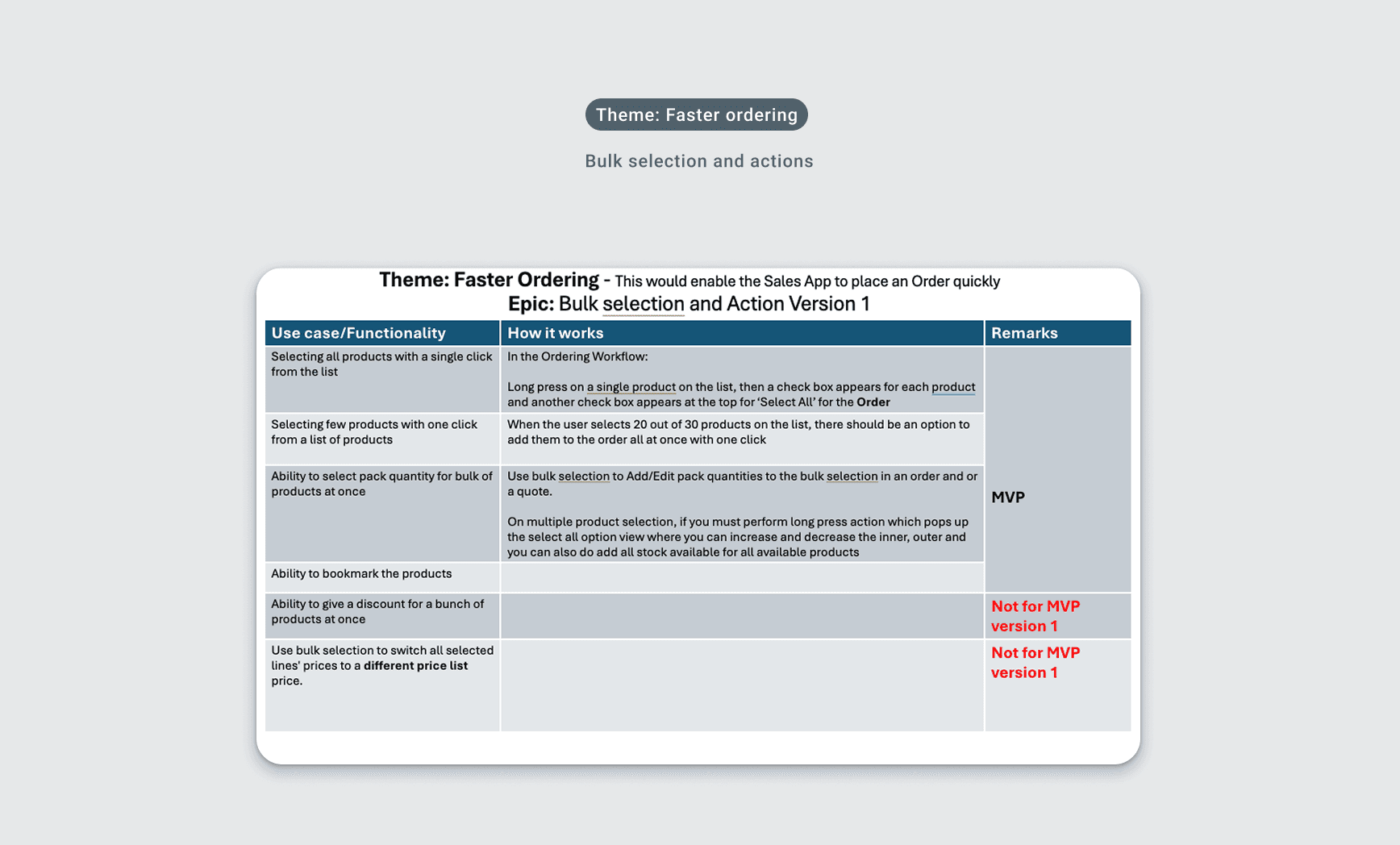
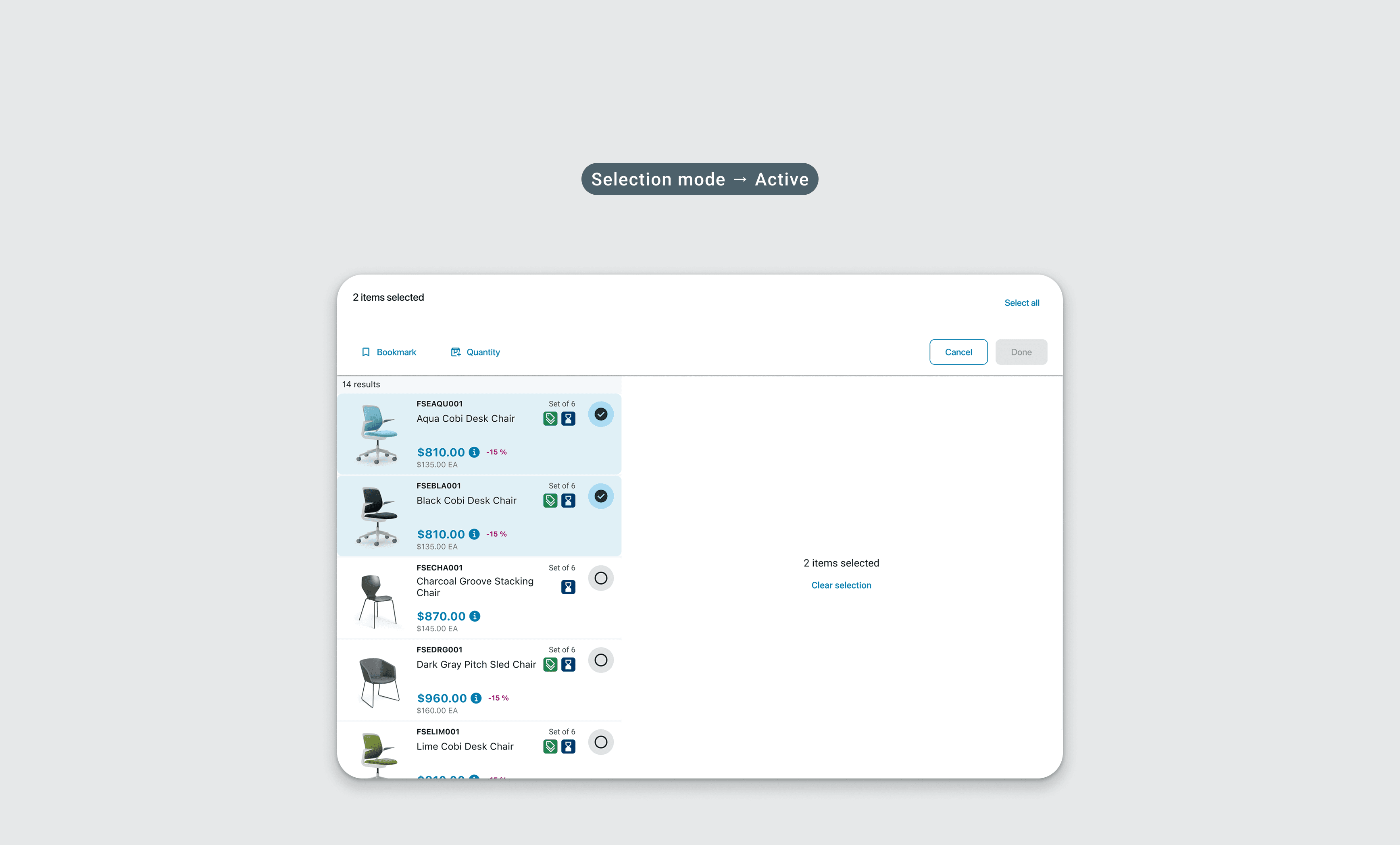
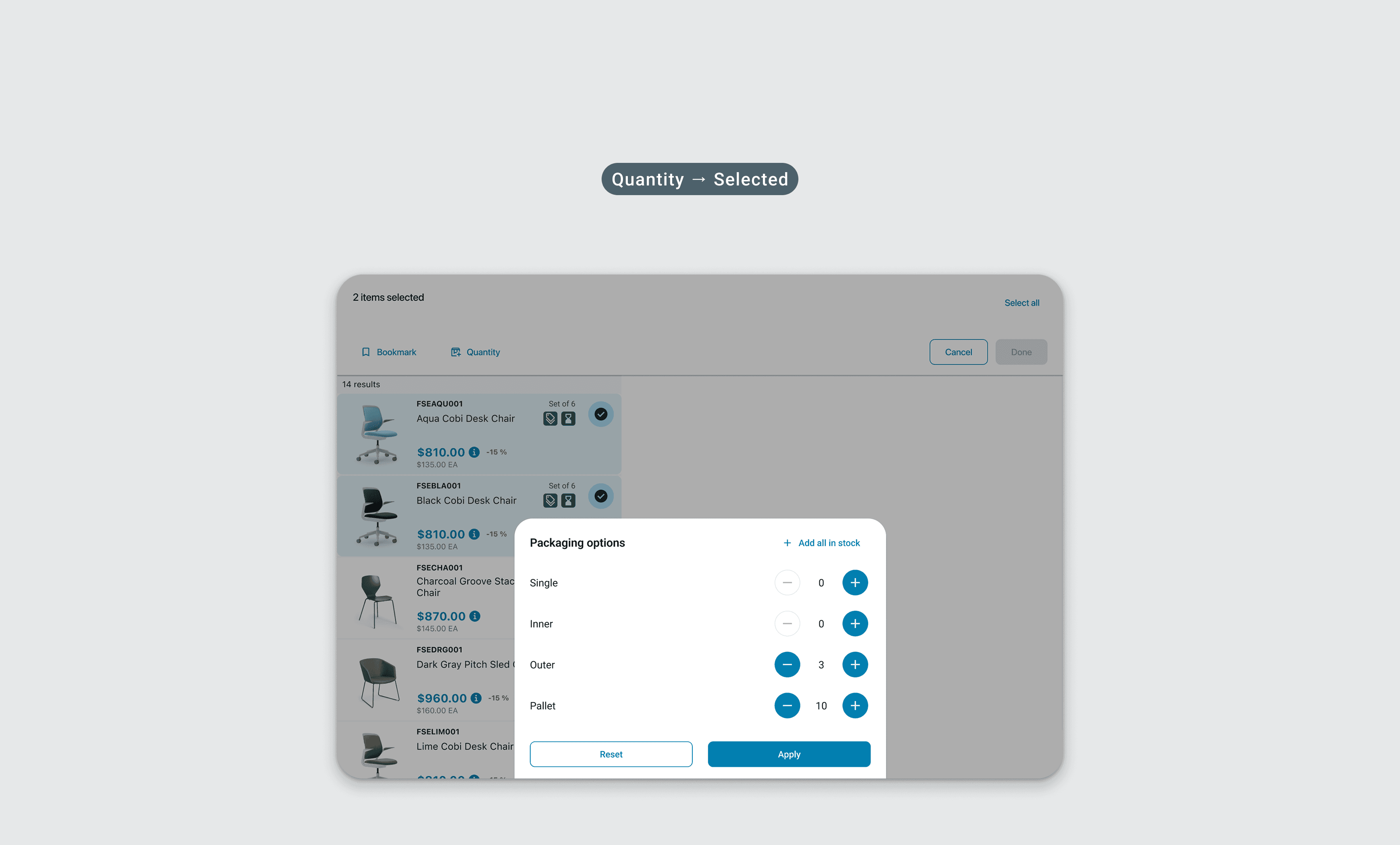
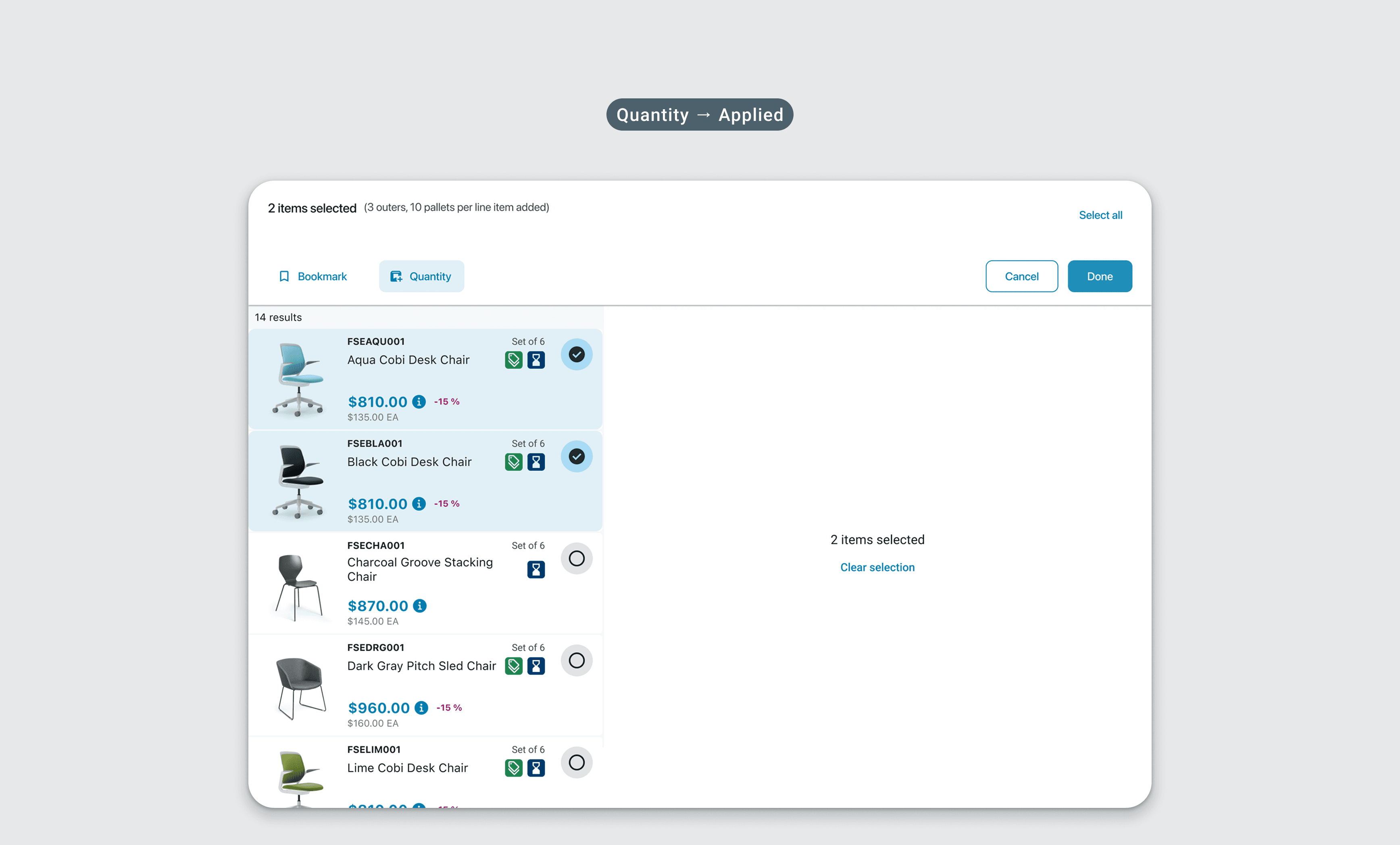
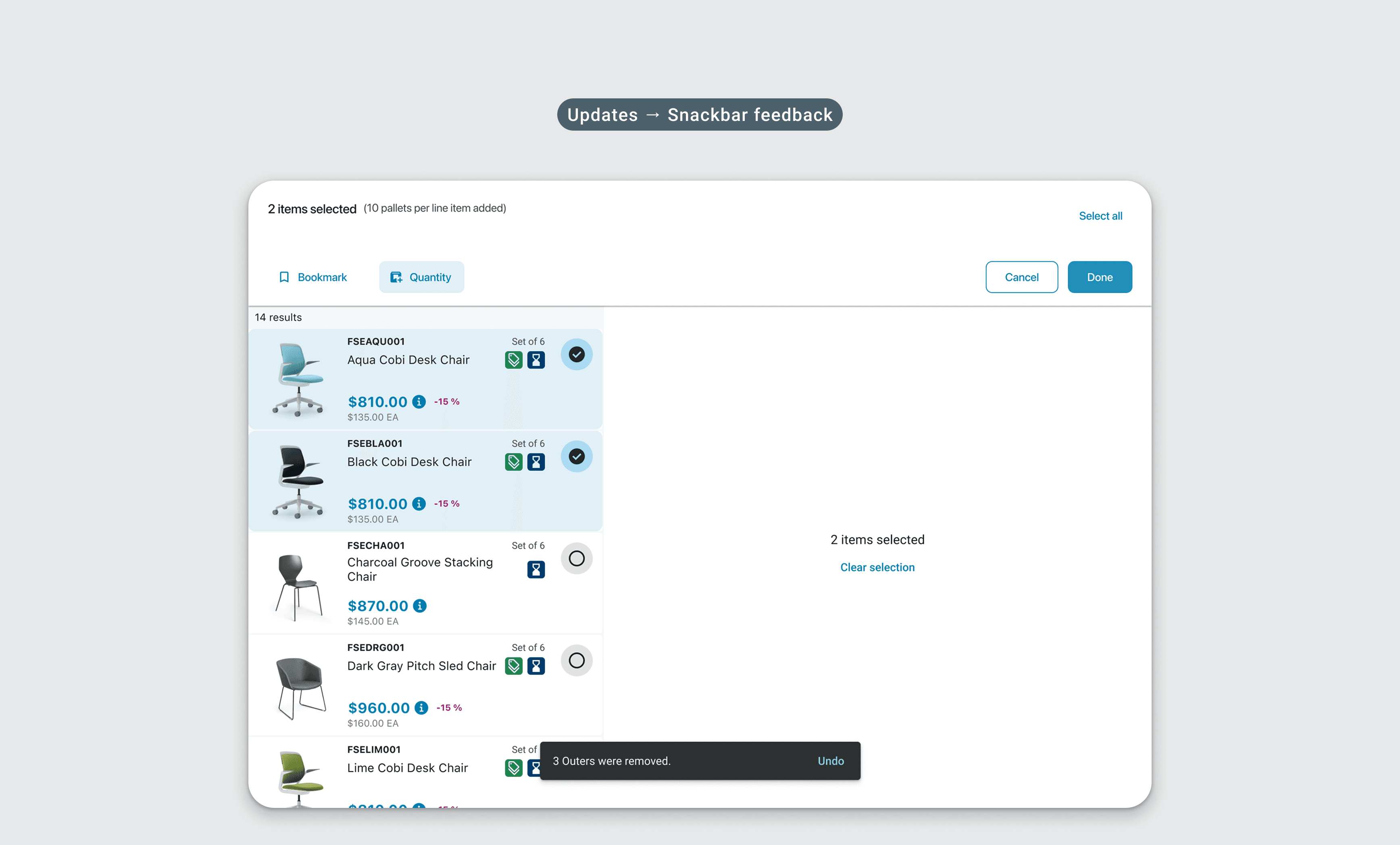
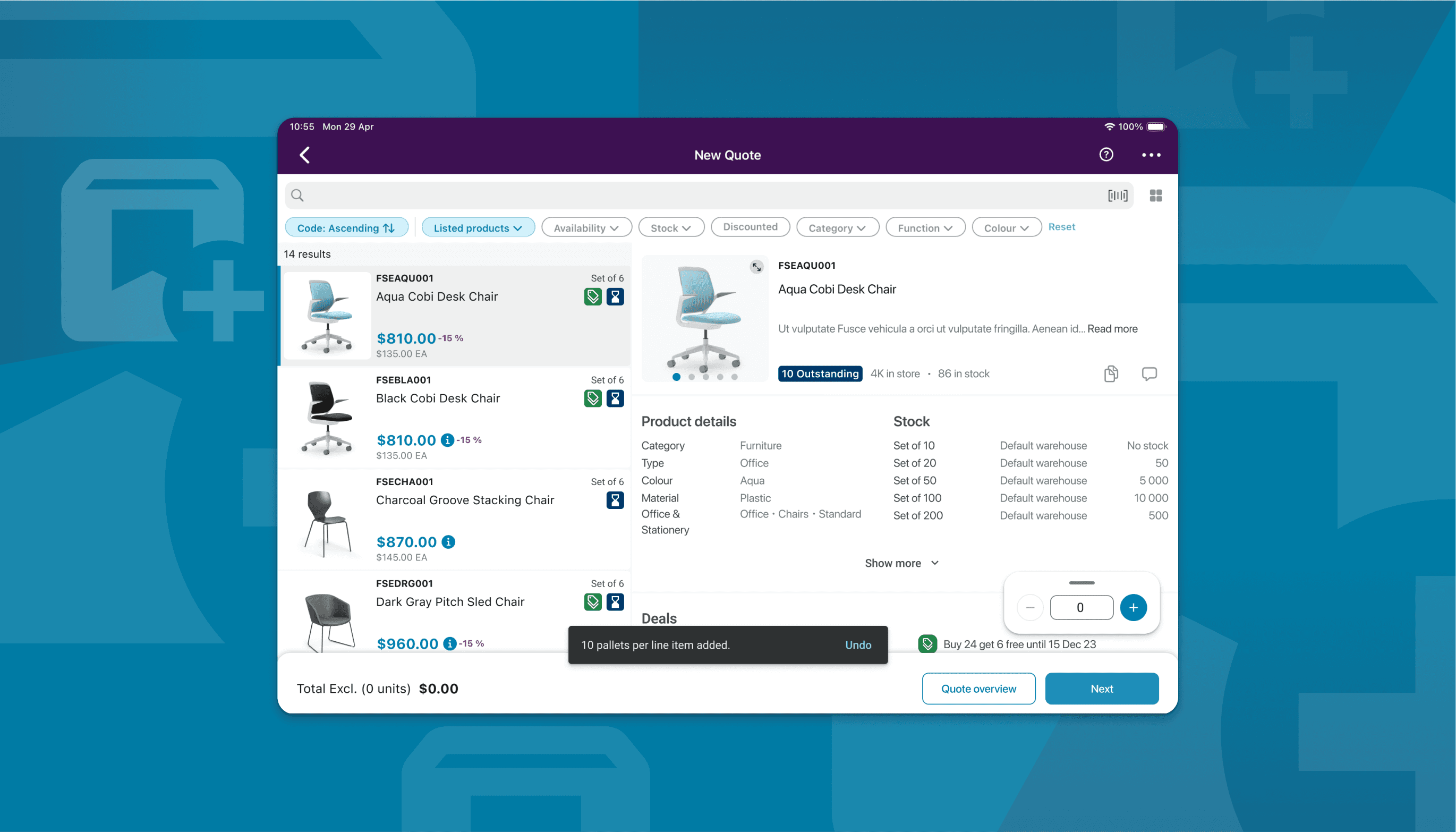
The bulk flow came from triangulating three real signals: how power users already worked in mSeller, a product we'd acquired, what the sales team was flagging from the field, and direct customer feedback. It was a power-user enhancement grounded in behaviour we could already see, not a guess. Skynamo's field reps place orders at trade shows and on-site visits, and the existing flow made them find a product, set a quantity, and repeat for every single line item. At a trade show with a customer standing in front of you that's not a workflow, it's a bottleneck, and we wanted to let reps select multiple products and set quantities in bulk. The hard part was the packaging model. Products aren't sold by unit alone, they come in singles, inners, outers, and pallets, so bulk ordering had to handle all of that applied across an entire selection without just becoming manual data entry at a different scale. Discounts and price list switching were deliberately scoped out of the MVP to ship faster ordering first and add complexity later. The list shifts into selection mode on long press, and a contextual action bar replaces the standard navigation with Bookmark or Quantity on the left and Cancel and Done on the right, with Done staying disabled until quantities are set. Tapping Quantity opens a packaging sheet with a stepper for each unit type and an Add all in stock shortcut for reps who already know what they want. Apply writes across every selected product at once and the header updates immediately. The edge cases got as much attention as the main flow: an unsaved changes guard on cancel, a warning when modifying a selection after quantities are already set, and Undo on any destructive snackbar action.